
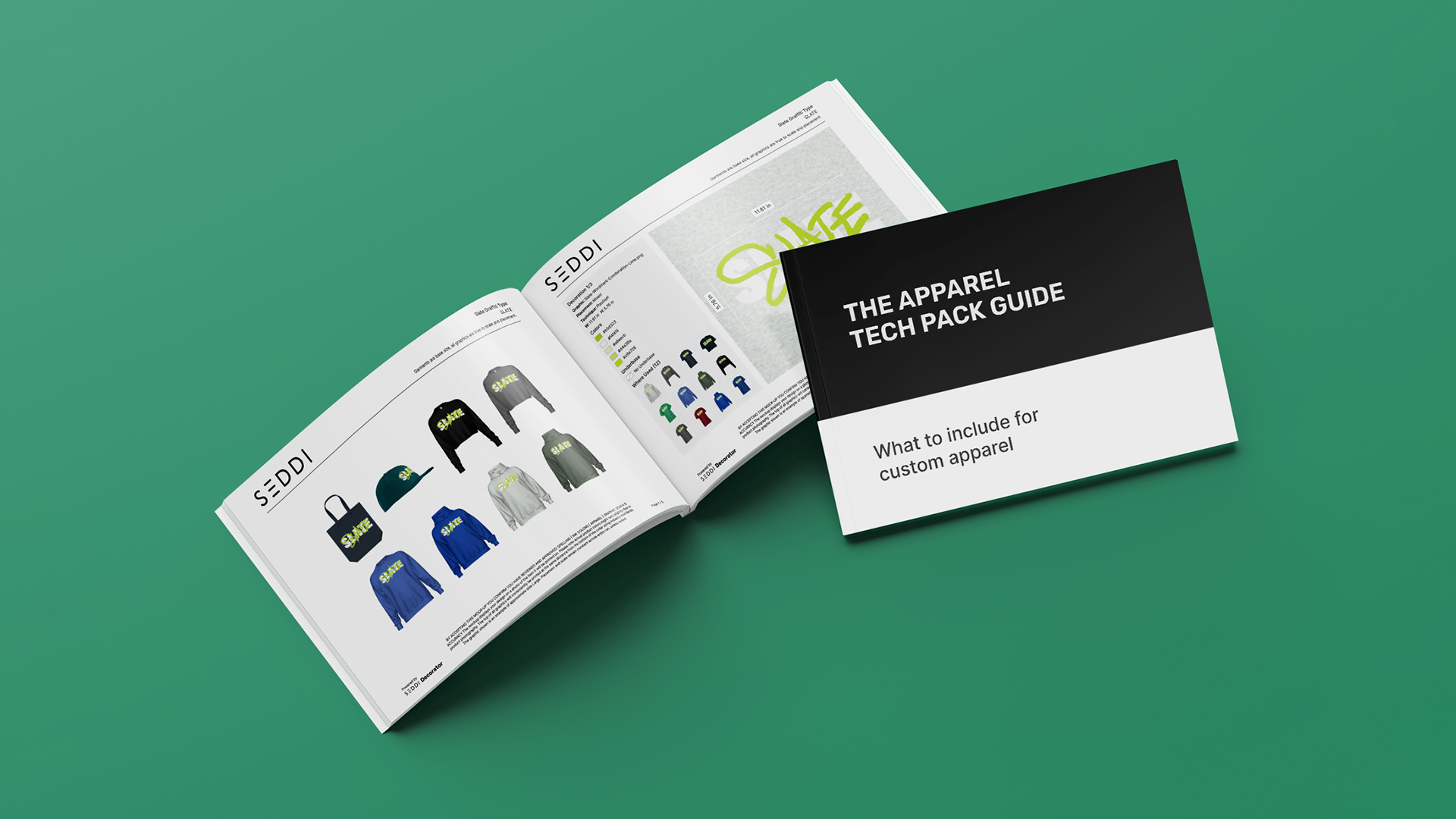
What Is an Apparel Tech Pack?
An apparel tech pack is a document that brings together the information needed to understand, approve, and produce a garment or decorated apparel product accurately. It typically combines product visuals with specifications such as artwork, decoration technique, placement, measurements, colors, and other production details.
For custom apparel, a tech pack can also play an important role in the approval process. It gives the customer and the production team a shared reference for what the finished product is supposed to look like before anything goes into production.
That distinction matters. A product image can show you what something looks like, but a good apparel tech pack should also communicate the details behind that visual.
And when multiple products, sizes, colors, or decoration locations are involved, having all of that information in one place becomes even more valuable.
What Should an Apparel Tech Pack Include?
There isn’t one universal apparel tech pack template that works for every product or production method. The information required for a screen printed T-shirt may be different from what’s needed for an embroidered jacket, a decorated tote bag, or a collection containing several different garment types.
That said, a useful custom apparel tech pack should generally include the following.
1. Product and Garment Information
Start with the basics: what is the product being decorated?
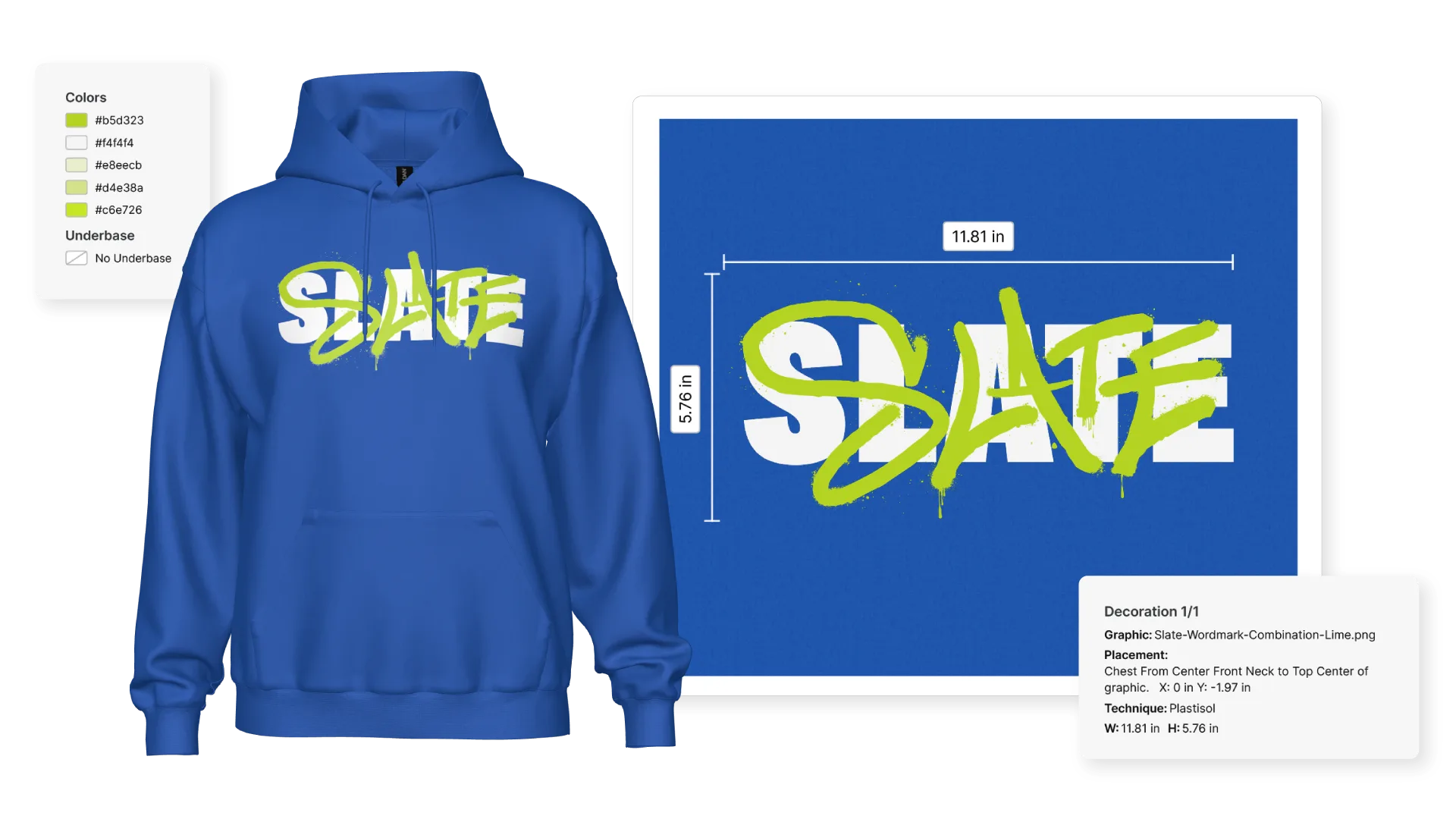
The tech pack should identify the garment or product clearly, including information such as the brand, style, product name, color, and SKU where applicable.
This becomes particularly important when a customer is approving several similar products. “Black hoodie” isn’t necessarily enough information when there are multiple black hoodies in an order.
The more clearly the product is identified, the less room there is for confusion downstream.
2. Clear Product Visuals
The visual is one of the most important parts of an apparel production tech pack.
Customers need to be able to see the actual product they’re approving, including the relevant decorated views. Ideally, those visuals should represent the real garment rather than relying on a generic shirt silhouette or a flat image that doesn’t accurately reflect the product.
For decorated apparel, that means showing things like:
- Front decoration
- Back decoration
- Sleeve or other placement locations
- Different garment colors
- Different product styles
- Relevant product views
A strong visual gives everyone something concrete to reference throughout the approval and production process.
3. Artwork and Decoration Details
The tech pack should clearly identify what artwork is being applied to the product and where.
Depending on the decoration method, this could include screen printing, embroidery, DTG, DTF, heat transfer, or another technique.
The goal is to make it clear which artwork goes where and how it is intended to be produced.
4. Placement and Sizing Information
Placement and sizing are two of the details most likely to cause problems when they aren’t clearly communicated.
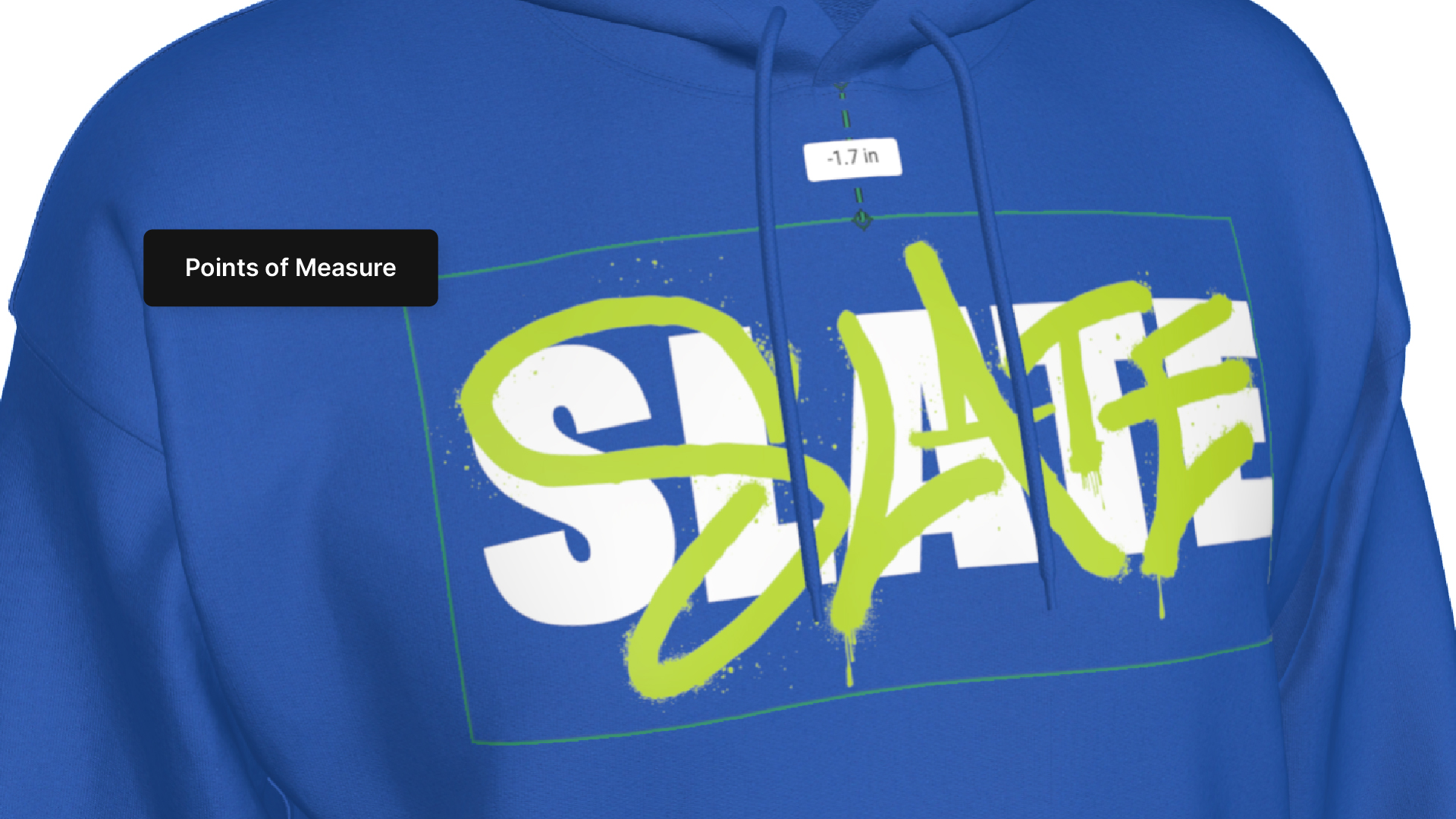
A custom apparel tech pack should provide enough information for the production team to understand where the decoration belongs and how large it should be.
For example, a left-chest graphic may have a specific width and position, while a back graphic may require a different placement. Those details should be captured rather than left open to interpretation.
This is especially important when working across different garment types and silhouettes. A placement that looks right on one style may not translate directly to another.
5. Color Specifications
Color information should be as specific as the production process requires.
Depending on the workflow, this might include garment color, artwork colors, Pantone references, or other color specifications.
The purpose is simple: reduce ambiguity between what was approved and what ultimately gets produced.
6. Size Information
Size is another area where apparel tech packs can become particularly useful.
For a simple order, showing the base size may be enough to communicate the intended design. But when an order spans multiple sizes, the visual relationship between the artwork and garment can change.
A customer approving a graphic on a medium isn’t necessarily seeing exactly what that graphic will look like on an XS or a 5XL.
For that reason, showing the full size range in an apparel tech pack can provide an additional layer of confidence during approval, particularly for designs where scale and placement are important.
7. Production Notes and Instructions
The tech pack should capture any additional information the production team needs to execute the order correctly.
These details will vary depending on the product and decoration method, but could include specific production instructions, decoration techniques, placement requirements, or other notes relevant to the order.
The key is that the tech pack shouldn’t leave critical information living somewhere else—in an email thread, a Slack message, a handwritten note, or someone’s memory.
8. Customer and Order Information
Finally, a useful tech pack should make it easy to understand what order or customer the document relates to.
Depending on the workflow, that might include customer information, order details, product quantities, or other identifying information.
This becomes increasingly important as the number of products and orders a shop manages grows.
Should an Apparel Tech Pack Show the Entire Size Range?
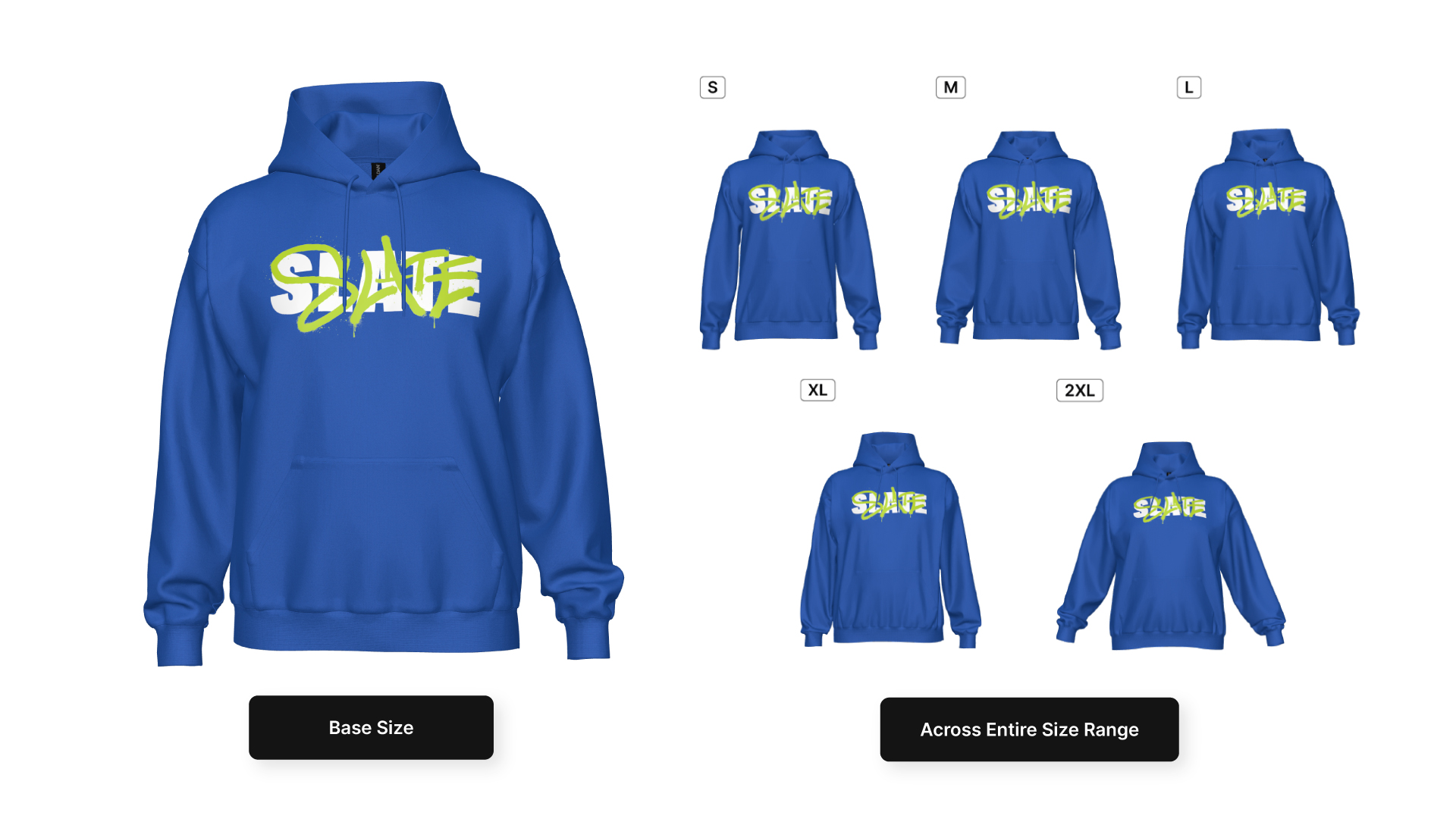
If a custom apparel order includes multiple sizes, showing the entire size range can make the approval process considerably clearer.
Imagine a customer has ordered a decorated hoodie in sizes XS through 5XL. If they only receive a visual of the base size, they’re being asked to approve the design without seeing how it translates across the actual size range they’re purchasing.
A size range tech pack gives them a more complete picture.
This can be particularly helpful for:
- Large apparel orders
- Company stores
- Team and school apparel
- Merchandise programs
- Branded apparel collections
- Designs where placement or scale is especially important
Rather than relying on the customer to assume that everything will translate correctly, you can show them.
That small change in the approval process can eliminate questions before they become production issues.
What Should a Tech Pack for an Apparel Collection Include?
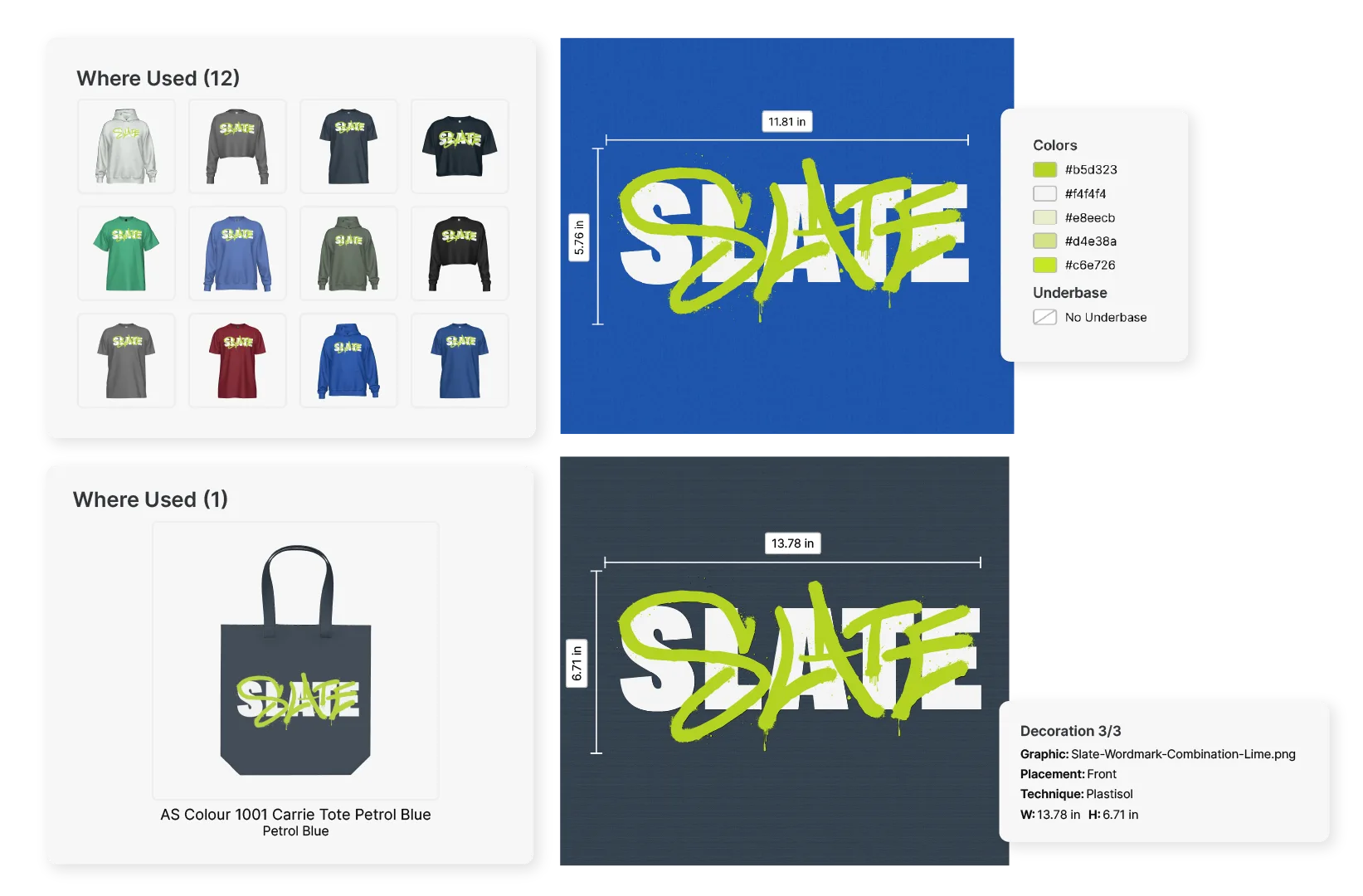
A tech pack becomes even more useful when you’re dealing with an entire collection rather than a single product.
A typical branded apparel collection might include T-shirts, sweatshirts, hoodies, headwear, bags, and other accessories, potentially across multiple colors and decoration locations.
Creating a separate document for every product can quickly become cumbersome, particularly when those documents are being created manually.
For a collection, a more useful approach is to create a multi-product tech pack that brings the relevant products together in a single, organized document.
Depending on the order and approval workflow, you may want to:
- Include several products per page
- Group products by category
- Keep accessories together
- Show multiple product styles in one document
- Include the relevant decorated views for each product
- Adjust the layout to create a clear, customer-friendly presentation
This makes the tech pack more than a production document. It becomes a practical tool for reviewing and approving an entire apparel order.
Why the Apparel Tech Pack Should Be Part of the Approval Process
A tech pack is often treated as something that happens after a design has been approved.
But there’s a strong argument for bringing it into the approval process itself.
The more information that is clarified before production, the less opportunity there is for assumptions to creep in later.
A customer can see the product. Your team can see the product. Production can work from the same information. And if something needs to change, it can be addressed before the order reaches the press or embroidery machine.
That creates a much cleaner connection between what the customer approved and what the production team actually produces.
For busy custom apparel businesses, that connection matters. A missed placement, incorrect size, or misunderstood decoration instruction can mean more than an awkward email—it can mean production downtime, rework, wasted materials, and an unhappy customer.
How SEDDI Decorator Simplifies Apparel Tech Packs
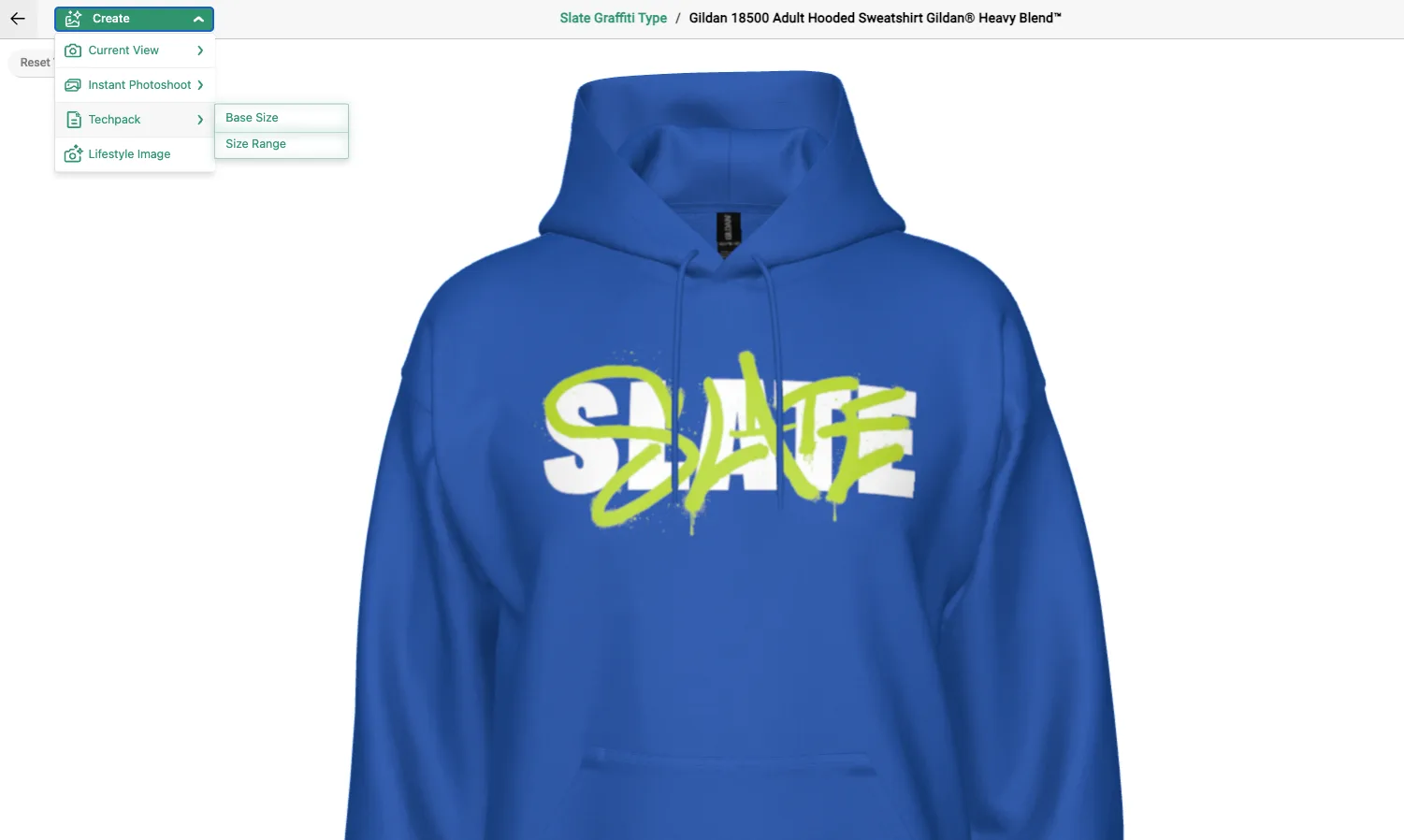
Create a Base Size or Size Range Tech Pack directly from a decorated product in SEDDI Decorator.
Creating an apparel tech pack doesn’t have to mean manually assembling product images and specifications every time an order comes through.
In SEDDI Decorator, tech packs are generated directly from the products you’re already creating and approving in the platform.
At the single-product level, you can create either a Base Size tech pack or a Size Range tech pack. The Size Range option uses the sizes selected for the product and labels each size accordingly, allowing you to show customers exactly what they’re approving across the range.
You can also control the image sizing within the tech pack, making it easier to create a clear, professional document without rebuilding the layout manually.
For collections, Multi-Product Tech Packs allow you to bring multiple products together in one document and customize the presentation, including how many products appear per page and how products are grouped.
That means a collection containing garments, headwear, bags, and other accessories can be organized into a single approval-ready document rather than a collection of disconnected files.
Most importantly, the tech pack is generated from the same digital products your team is using to create the visual approval. The product, artwork, placement, and other information stay connected rather than being recreated at each stage.
Apparel Tech Pack Checklist
If you’re creating a custom apparel tech pack, here’s a simple checklist to use:
- Product information: Brand, style, SKU, color, and product name
- Product visuals: Clear views of the actual garment or product
- Artwork: The artwork being applied to the product
- Decoration: Printing, embroidery, or other decoration technique
- Placement: Where the artwork should appear
- Sizing: Artwork dimensions and relevant placement measurements
- Color: Garment and artwork color specifications
- Size range: Applicable garment sizes, particularly for larger orders
- Production notes: Instructions or specifications required for production
- Order information: Customer, order, quantity, or other relevant details
- Collection information: When applicable, multiple products organized into a single document
The exact contents will vary from one apparel business to another, but the principle is consistent: an apparel tech pack should give everyone involved enough information to understand exactly what is being approved and what needs to be produced.
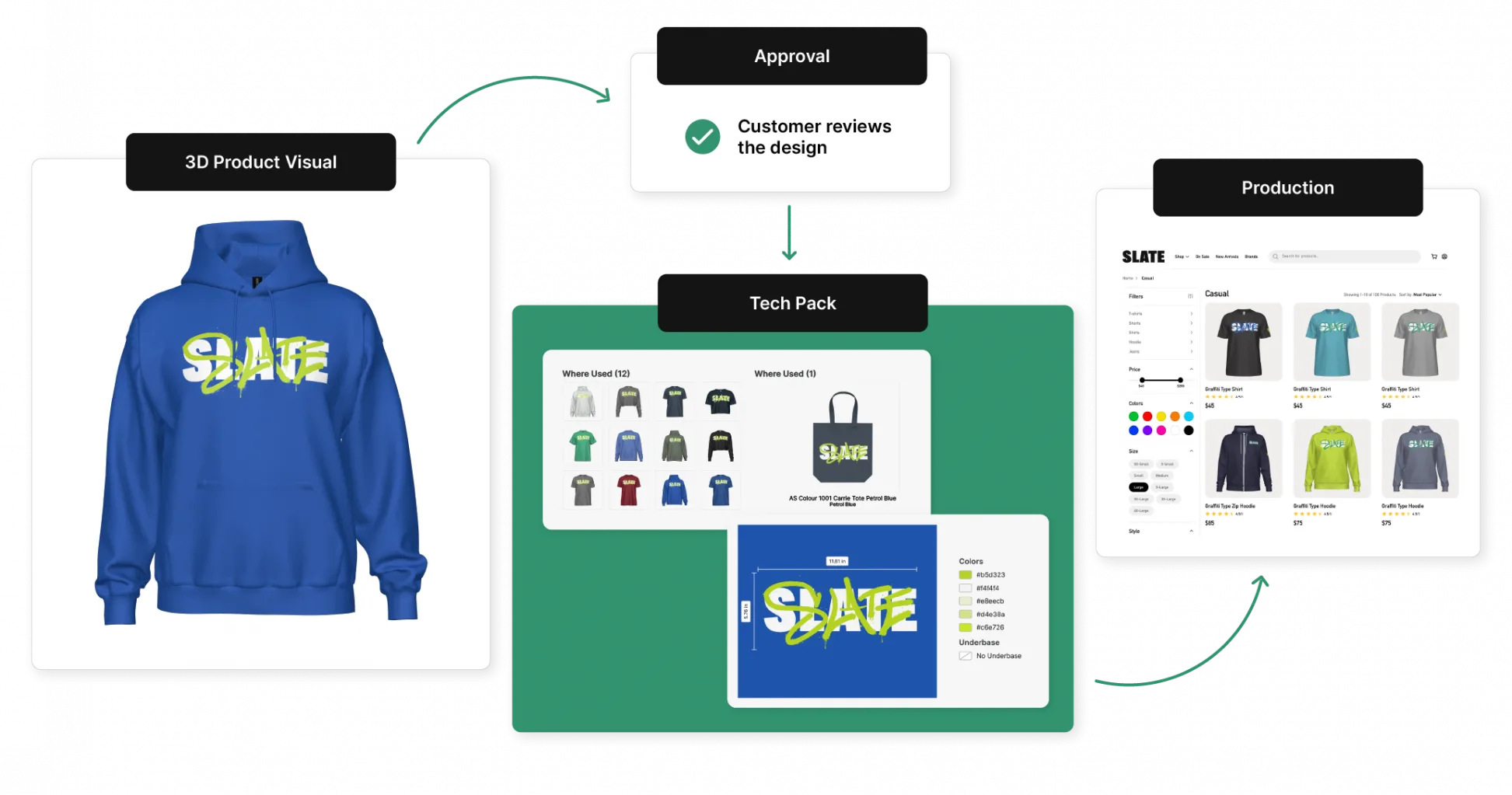
From Approval to Production, Without the Guesswork
The best apparel tech pack isn’t necessarily the one with the most information. It’s the one that puts the right information in the right place, in a format that customers and production teams can actually use.
For custom apparel businesses, that means connecting the product visual, decoration specifications, sizing, placement, and production information before the order moves forward.
When those details are clear and connected, approvals become easier, production has fewer questions, and there’s less room for the gap between what a customer thought they approved and what ultimately gets made.
That’s exactly where a well-designed apparel tech pack—and the workflow behind it—can make a difference.

 English
 French
 Spanish