
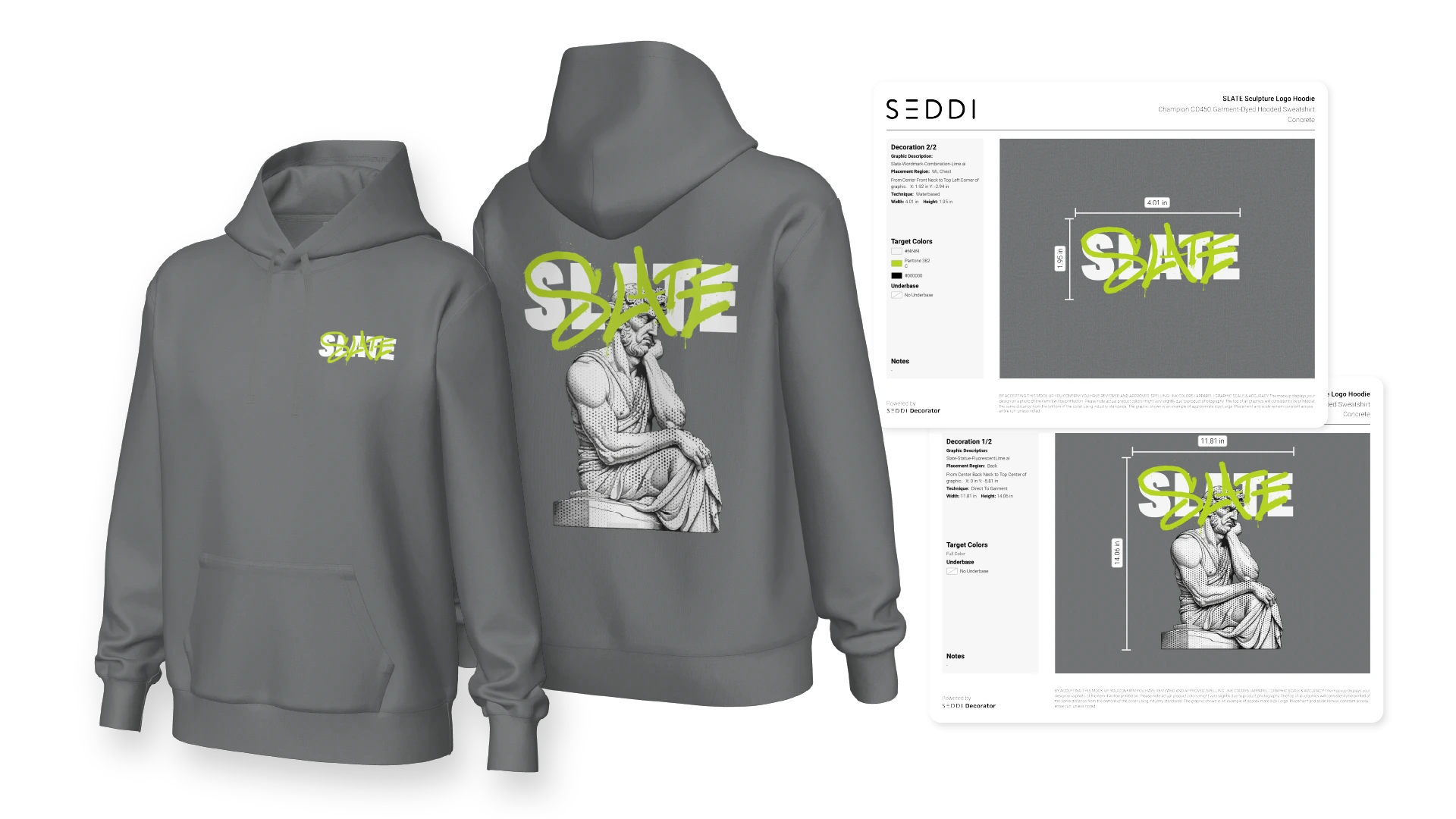
In screen printing, the difference between a smooth production run and a costly mistake often comes down to one thing: clarity.
Production teams need exact specifications. Sales teams need fast approvals. Customers need confidence in what they’re ordering.
And yet, in many print shops, tech packs are still built manually. They’re pieced together from mockups, notes, emails, and screenshots.
It’s slow, inconsistent, and it leaves room for error.
This guide shows how to create production-ready tech packs for screen printing using a modern, visual workflow with SEDDI Decorator, turning what used to take hours into something that takes minutes.
What Is a Production-Ready Tech Pack in Screen Printing?
A tech pack is the instruction set for production.
It tells your print team exactly how to execute the job, including:
- Garment style and brand
- Artwork placement and size
- Print locations (left chest, full front, sleeve, etc.)
- Ink colors (can include Pantone references)
- Decoration method (screen print, DTF, embroidery, etc.)
- Any custom notes or instructions
The problem? Most tech packs are created after the mockup, which means someone needs to manually translate visuals into instructions.
That disconnect is where mistakes happen.
The Problem with Traditional Tech Pack Creation
In a typical workflow:
- A mockup is created (often not to scale)
- A designer manually rebuilds placement in Illustrator
- Specs are typed into a document
- Notes are added from email threads
- Files are exported and shared
This creates:
- Duplicate work
- Inconsistent specs
- Misalignment between teams
- Delays in production
- Costly reprints or corrections
The core issue is simple:
Your mockup and your production instructions are not connected.
A Better Approach: Build the Tech Pack from the Product Itself
With SEDDI Decorator, the tech pack isn’t a separate step.
It’s generated directly from the same 3D product used for selling and approvals.
That means:
- No rebuilding
- No guesswork
- No translation errors
Everything flows from a single, accurate visual source of truth.
Step-by-Step: How to Create Production-Ready Tech Packs in Decorator
Step 1: Choose a Real-World Apparel Style
Start by selecting a blank from Decorator’s Style Library.
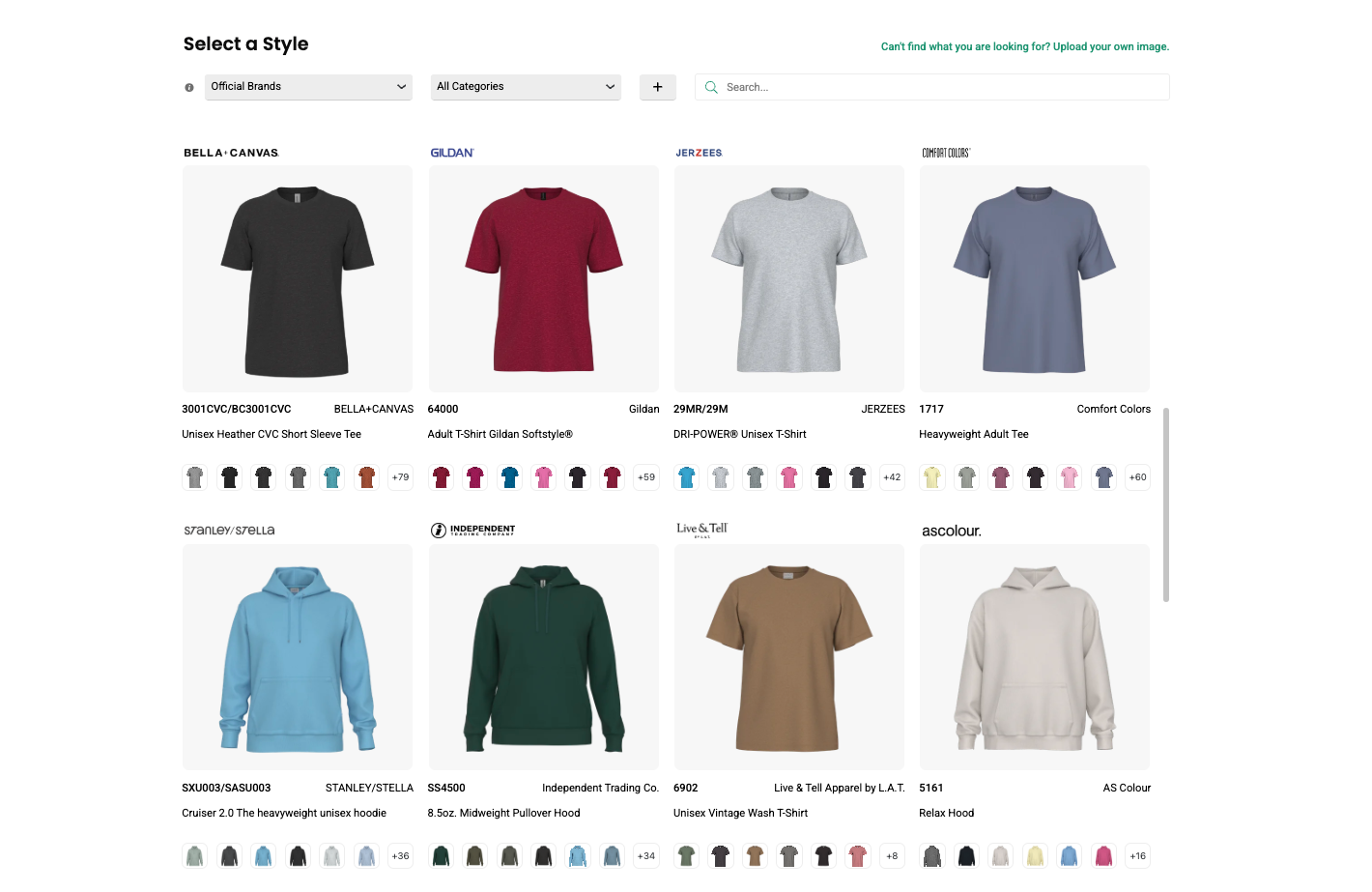
Every style is built from real garment specs of leading brands, giving you an accurate 3D representation of fit, structure, and print areas.
This ensures:
- Correct fit and proportions
- Color visual accuracy
- A vivid preview of the fabric texture
- Accurate print regions
- Real-world production alignment
Artwork is placed on digital versions of real apparel styles, so you can trust what you see on the screen.
Step 2: Title and Organize Your Product
Before designing, name your product and add it to a Collection for your customer’s order.
This helps:
- Keep projects organized
- Build structured collections
- Maintain clarity across teams
It also ensures your tech pack is tied to a clearly defined product from the start.
Step 3: Upload and Place Artwork Instantly
Upload your artwork and place it directly onto the apparel.
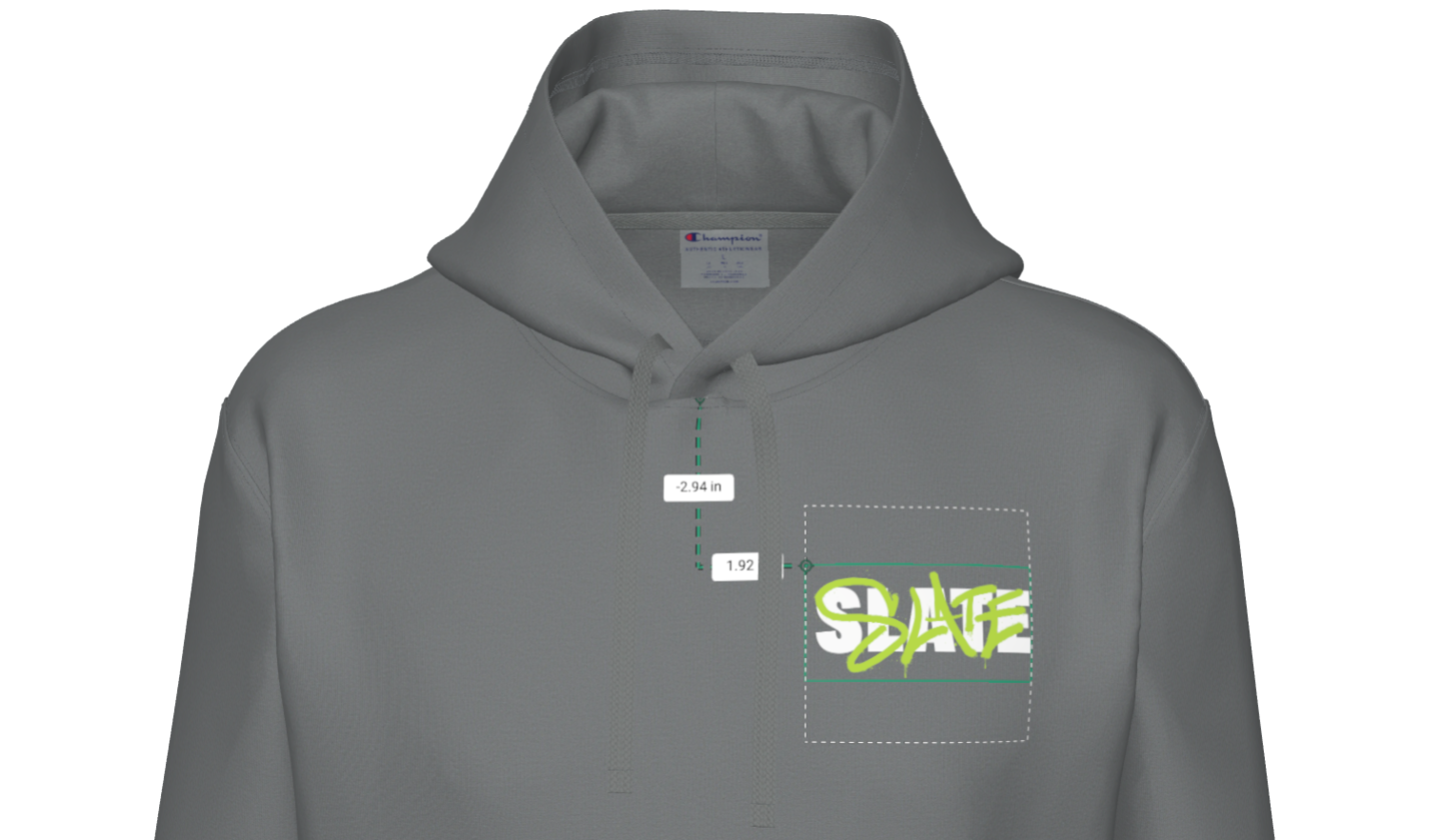
Decorator allows you to:
- Snap designs into standard print regions
- Adjust size and positioning visually
- Instantly preview placement across the product with an interactive, 360° view
Because placement is tied to real garment data, what you see is aligned with production reality.
Step 4: Recolor and Apply Pantone Values
Fine-tune your design by adjusting colors directly within the platform.
You can:
- Recolor artwork in seconds
- Assign exact Pantone values
- Ensure consistency between design and print
This eliminates the need to manually document color specs later.
Step 5: Select Printing Techniques
Choose how the design will be applied.
Decorator supports visualization of techniques such as:
- Screen printing (plastisol, water-based)
- Puff ink
- Embroidery
- Glitter
- High density
- Heat transfer
- Direct to garment
- Patch
…or customize the technique instructions. These selections become part of the production instructions.
Step 6: Customize Your Tech Pack Details
Before generating your tech pack, you can add:
- Company or client logo
- Custom notes and instructions
- Special production considerations
This allows you to standardize documentation while tailoring it to each order.
Step 7: Generate the Tech Pack Instantly
With everything defined visually, simply click:
Create → Techpack
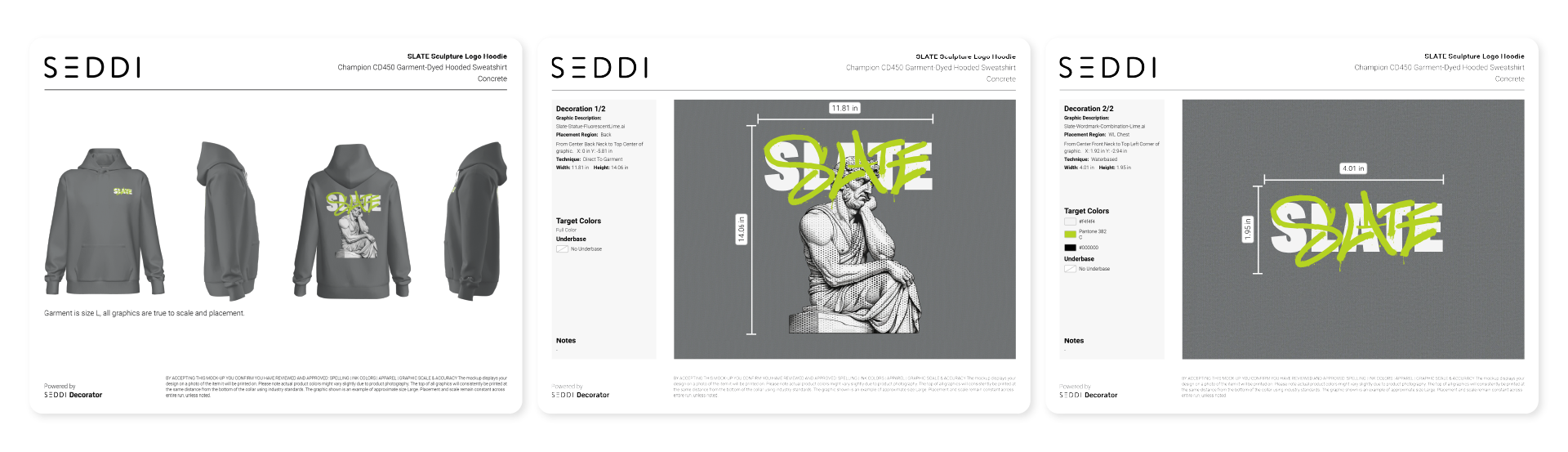
Decorator automatically generates a production-ready tech pack that includes:
- Garment details
- Artwork placement and scale
- Print locations
- Color specifications
- Decoration techniques
- Custom notes
All pulled directly from the product you created.
No manual rebuilding required.
Why This Changes the Screen Printing Workflow
1. Massive Time Savings
What used to take:
- 30–90 minutes per job
Now takes:
- Minutes
No more:
- Re-measuring artwork
- Rebuilding layouts
- Writing repetitive specs
2. Eliminate Manual Errors
Because the tech pack is generated from the design itself:
- Placement is accurate
- Scaling is consistent
- Colors are defined
- Techniques are captured
There’s no gap between what was approved and what gets produced.
3. Improve Team Communication
Decorator creates a shared visual reference across:
- Sales teams
- Customers
- Production staff
Everyone works from the same source of truth.
No more:
- “Which version is correct?”
- “What did the client approve?”
- “Where exactly does this go?”
4. Speed Up Production Handoffs
Once approved, tech packs are ready instantly.
This means:
- Faster job setup
- Less back-and-forth
- Smoother transitions to the print floor
5. Standardize Your Workflow
Every tech pack follows the same structure.
This creates:
- Consistency across orders
- Easier onboarding for new team members
- Scalable operations
From Mockup to Production, Without the Disconnect
In traditional workflows, the process looks like this:
Mockup → Rebuild → Document → Clarify → Produce
With Decorator, it becomes:
Design → Approve → Generate → Produce
One system. One product. One source of truth.
The Bottom Line
Creating production-ready tech packs for screen printing doesn’t need to be manual, repetitive, or error-prone.
With SEDDI Decorator:
- You start with real apparel
- Design in true-to-reality 3D
- Capture every detail visually
- Generate tech packs instantly
The result is faster workflows, clearer communication, and more confident production.

 English
 French
 Spanish