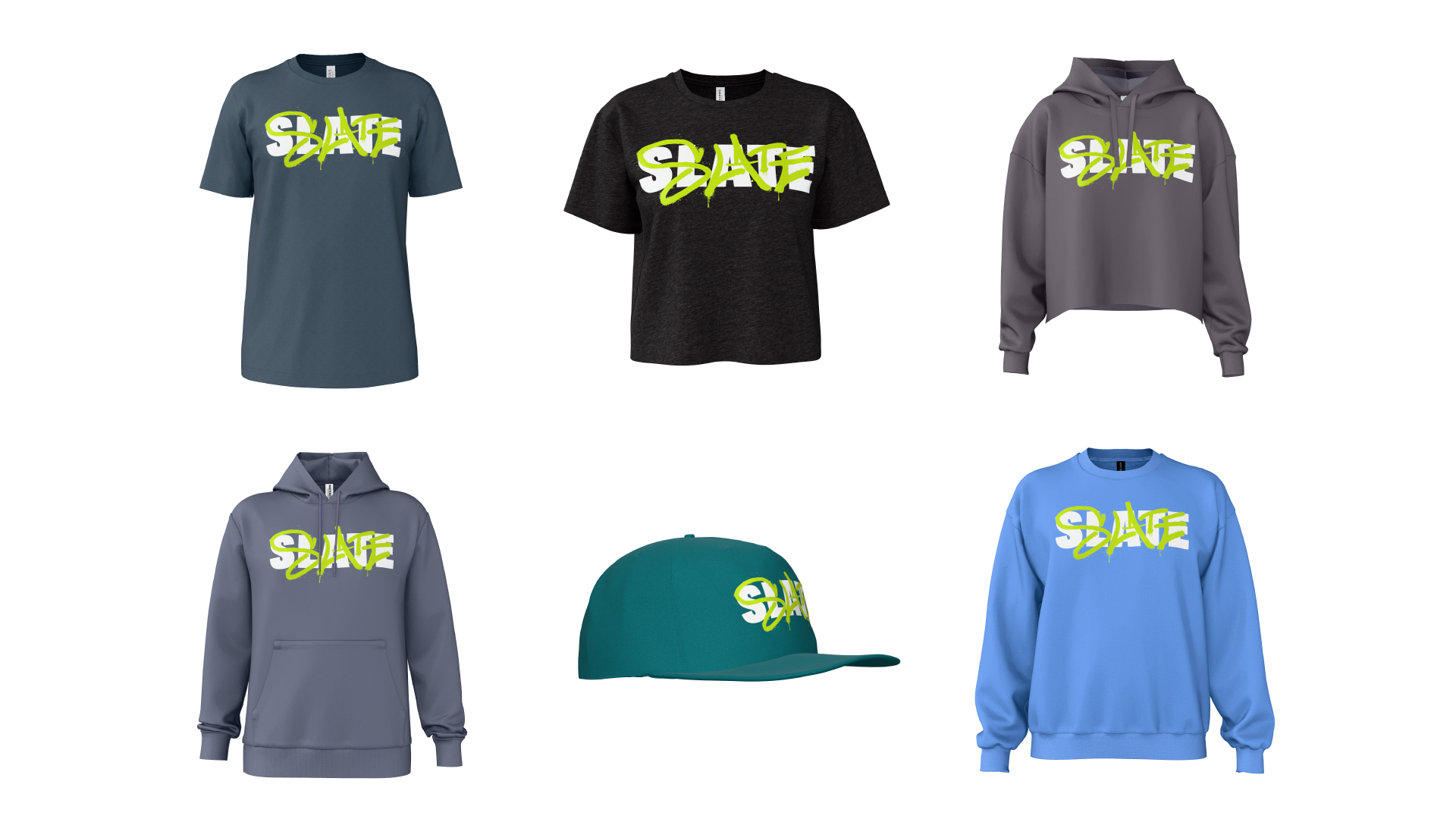
As branded apparel businesses grow, so does the work behind every order. More products, more artwork, more colorways, and more customer requests mean more product visuals to create, more designs to approve, and more production details to prepare.
For businesses managing large product catalogs or building digital platforms for branded apparel, these tasks can become a bottleneck. Every new variation or design revision creates additional manual work for art and production teams.
What if product imagery and techpacks could be generated directly through the digital systems your business already uses, without sacrificing any realism?
Meet the SEDDI Product Creation API: a way for businesses and technology providers to build SEDDI Decorator’s 3D product creation technology into their own platforms and workflows.
From e-commerce storefronts and order portals to order management systems, the API makes it possible to generate branded apparel product visuals and production techpacks from configurable product specifications. It can also power interactive 3D customization experiences, opening up new ways for customers to configure products before an order moves forward.
Here’s how it works, what it makes possible, and where it could fit into your business.
What is the SEDDI Product Creation API?
The SEDDI Product Creation API makes the 3D product creation capabilities behind SEDDI Decorator accessible to other digital systems.
An API, or application programming interface, allows different software systems to communicate and exchange information. In this case, it gives a business’s own technology a way to request product visuals and techpacks generated using SEDDI’s 3D apparel technology.
Rather than manually creating every product asset, a connected system can send a configured product recipe to SEDDI. That recipe specifies the product details needed for generation, such as:
- Blank apparel: The style being decorated.
- Color: The selected apparel colorway.
- Size: The specified garment size.
- Artwork: The graphics to be applied.
- Placement: Where the decoration should appear on the garment.
SEDDI uses these specifications to generate the requested outputs. Depending on the workflow, a business can request product imagery, a techpack, or both.
The important distinction is that the API doesn’t just generate an image of an apparel style with a logo overlayed on it. It draws from SEDDI Decorator’s library of accurate 3D styles from real-world apparel brands to place and scale that logo on a 3D style, then create product visuals and production documentation that is as accurate as a photo of a physical sample.
Businesses can then build these capabilities into their own applications, rather than requiring every customer or employee to work directly in SEDDI Decorator.
What does the Product Creation API generate?
The API generates two complementary types of output: product visuals and techpacks. Each serves a different purpose in the branded apparel order process.
1. Branded apparel product visuals
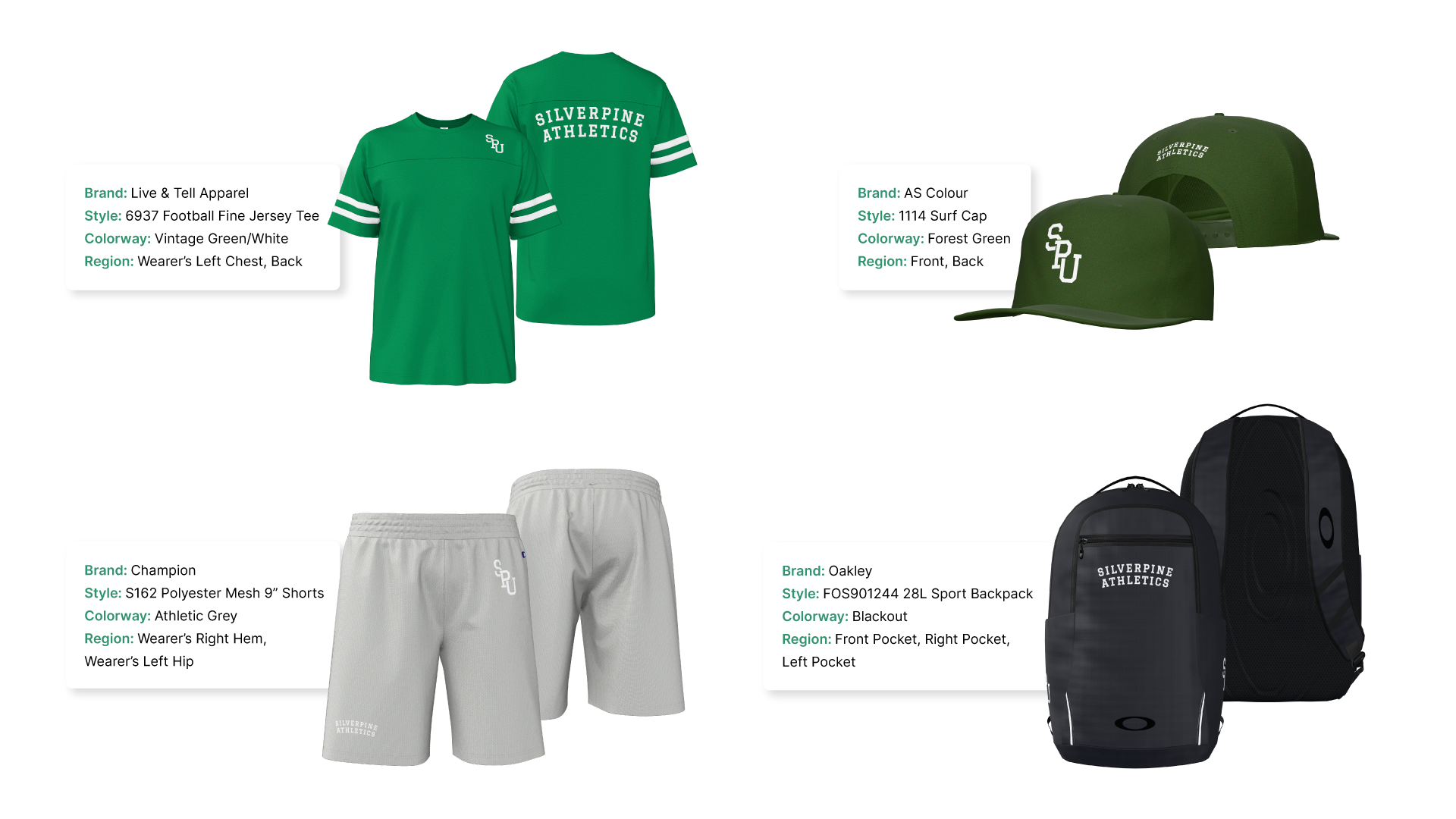
Product visuals show how the selected style, colorway, and decoration look together. These images can support e-commerce listings, customer-facing product previews, and design approval.
The API can generate up to four views of a branded apparel product per call, giving businesses a way to present products from multiple angles. Image outputs support PNG and WebP formats, with 1K and 2K resolution options.
2. Production techpacks
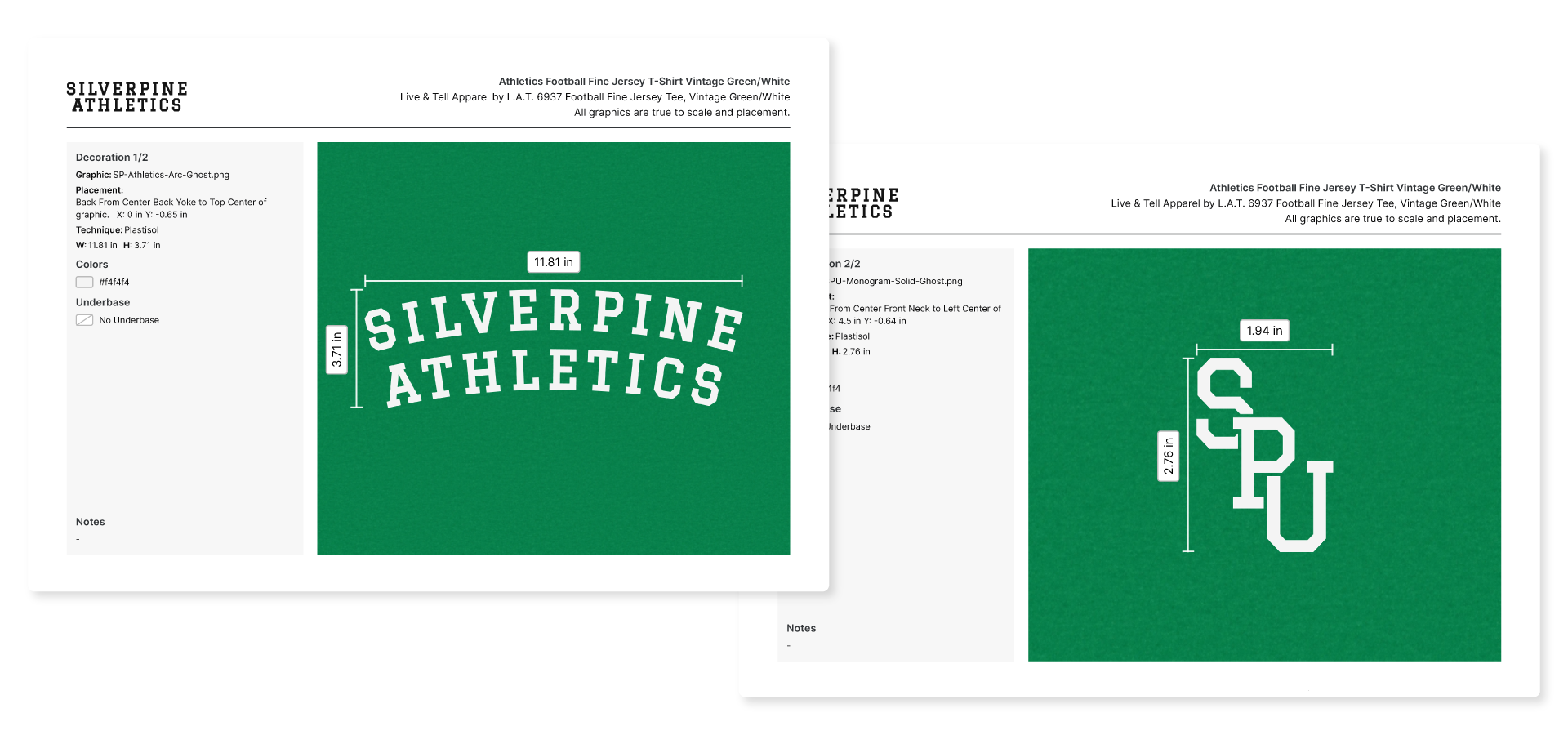
Tech packs provide production-related information about the configured design, including decoration placement and dimensions. They help communicate the details needed to produce the approved product.
Techpacks can be returned in PDF or JSON format, depending on how the receiving system needs to use the information.
Businesses can request imagery, techpacks, or both, and multiple graphics can be included in a single API call.
This flexibility matters because not every workflow needs the same output at the same moment. A storefront may primarily need product imagery, while an order management workflow may need both the visual and the corresponding production documentation.
Three ways to use the Product Creation API
The API is designed to connect product creation with the systems branded apparel businesses already use. Here are three practical applications.
1. Generate product imagery for e-commerce storefronts
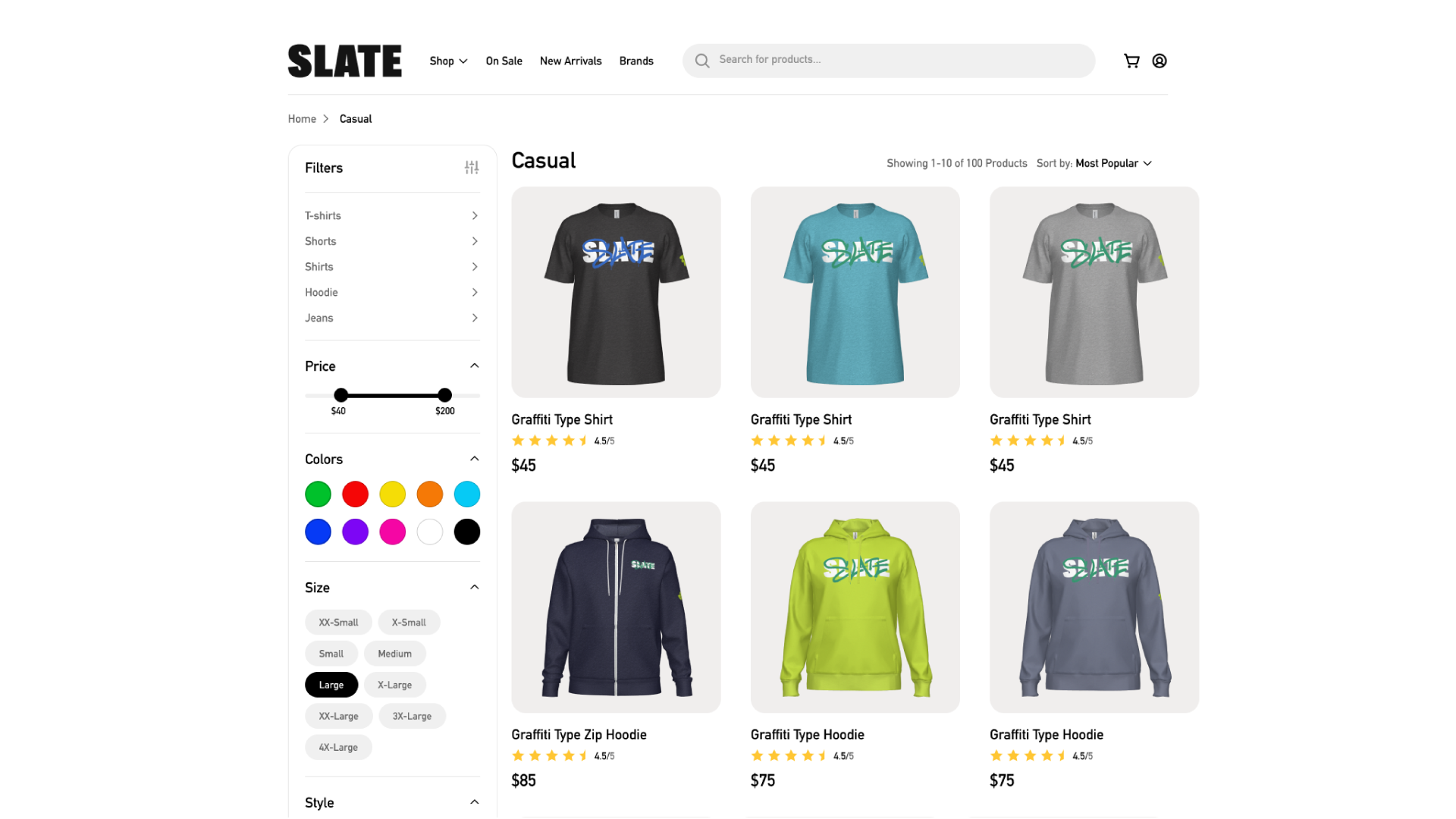
Online catalogs often contain many garment styles, colorways, and decoration variations. Creating and updating imagery for every combination can require substantial manual effort.
With the Product Creation API, a connected storefront can request product imagery based on the relevant garment and decoration specifications. This can support the creation and updating of product listings as catalogs change and new designs are introduced.
For businesses expanding their online product offering, this creates a way to make product asset generation part of the storefront workflow rather than a separate manual task for every variation.
Online catalogs often contain many garment styles, colorways, and decoration variations. Creating and updating imagery for every combination can require substantial manual effort.
With the Product Creation API, a connected storefront can request product imagery based on the relevant garment and decoration specifications. This can support the creation and updating of product listings as catalogs change and new designs are introduced.
For businesses expanding their online product offering, this creates a way to make product asset generation part of the storefront workflow rather than a separate manual task for every variation.
2. Bring product visualization into order portals
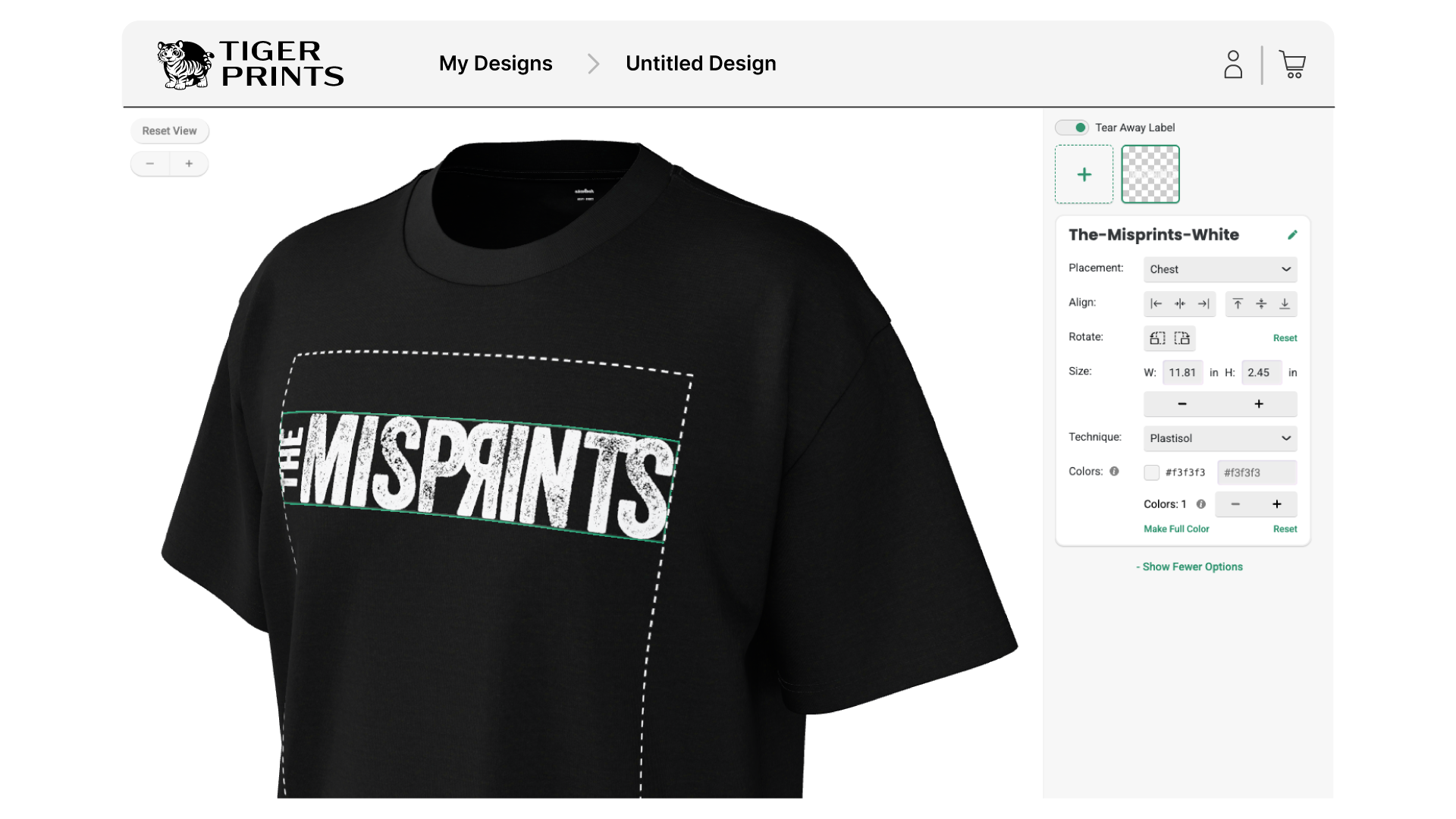
When customers order decorated apparel, they need to understand what they’re ordering. A flat image with a logo pasted onto it may not communicate how the decoration sits on the actual garment or how the finished design will look.
The Product Creation API can bring SEDDI’s 3D product visualization capabilities into an order portal. A connected application can request visuals based on the customer’s selected product specifications and present the resulting product view as part of the ordering experience.
This gives buyers a clearer visual reference as they review designs and approve orders, while making product visualization part of the digital experience they are already using.
What this makes possible: Product visuals generated from configured apparel and decoration details, supporting product review and approval within an order portal.
3. Connect product visuals and techpacks to orders
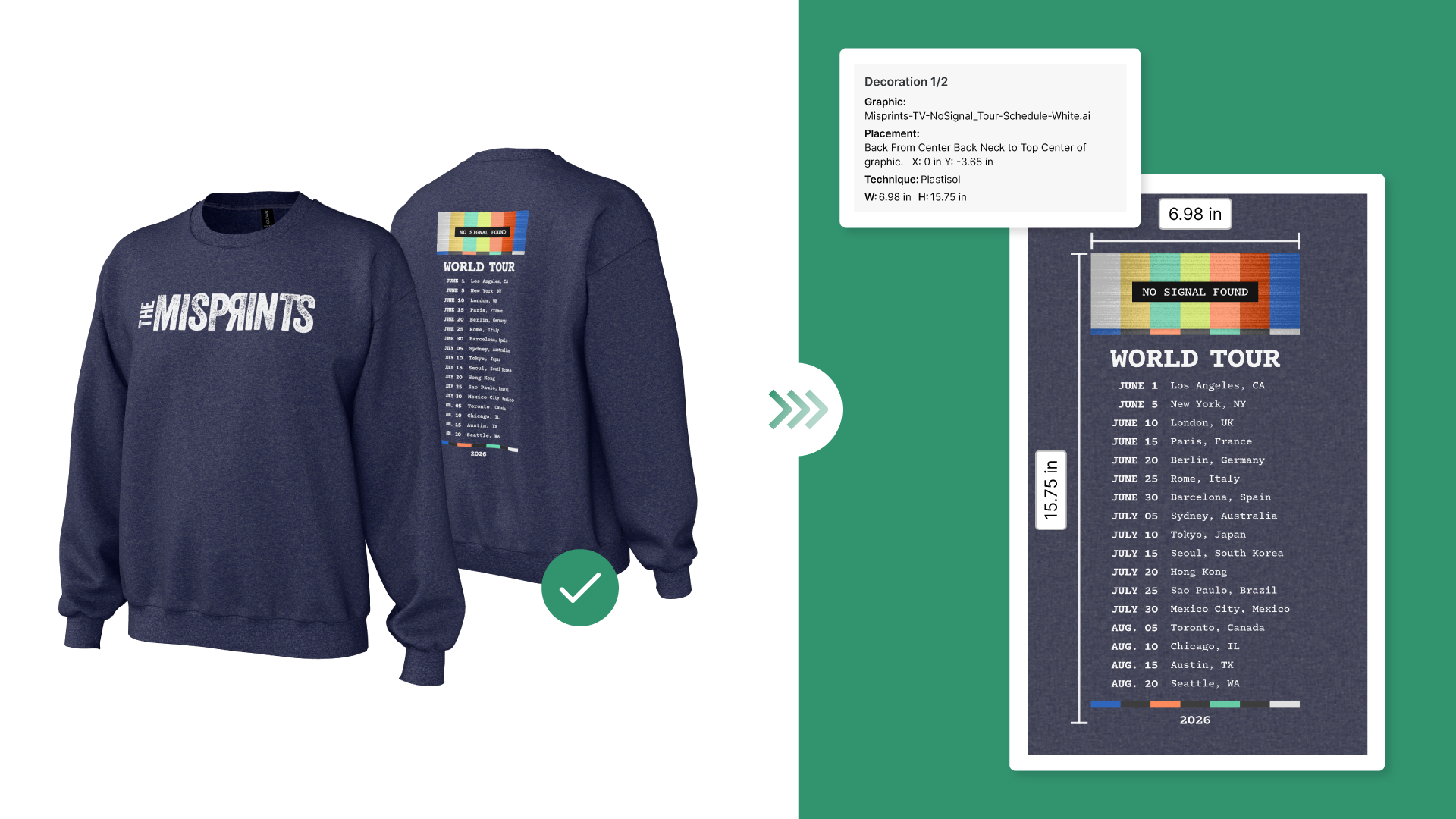
An approved design is only one part of fulfilling a branded apparel order. Production also needs the relevant details about the style and its decoration.
The Product Creation API can generate both the product visual and its techpack, allowing a connected order management system to associate those outputs with an order. The visual helps communicate what was approved, while the tech pack carries production-related information such as placement and dimensions.
This creates an opportunity to connect the customer-facing product experience with the documentation needed further along the order process.
What this makes possible: Product visuals and production documentation generated from the same configured product specifications and connected to the order workflow.
Go beyond generated imagery with interactive 3D customization
The Product Creation API can also support an interactive 3D Customizer built into a business’s own storefront, order portal, or digital platform.
Rather than simply displaying a generated product image, a Customizer lets customers interact with a garment and configure its decoration in a 3D experience.
Depending on the implementation, customers can:
- Select a style and change its colorway.
- Add multiple graphics to the product.
- Position, scale, and rotate graphics within defined placement regions.
- Recolor graphics and change decoration techniques.
- View the decorated garment as they make changes.
The Customizer outputs an updated product recipe. That recipe can then be passed to the Product Creation API to generate product visuals and tech packs for the configured design.
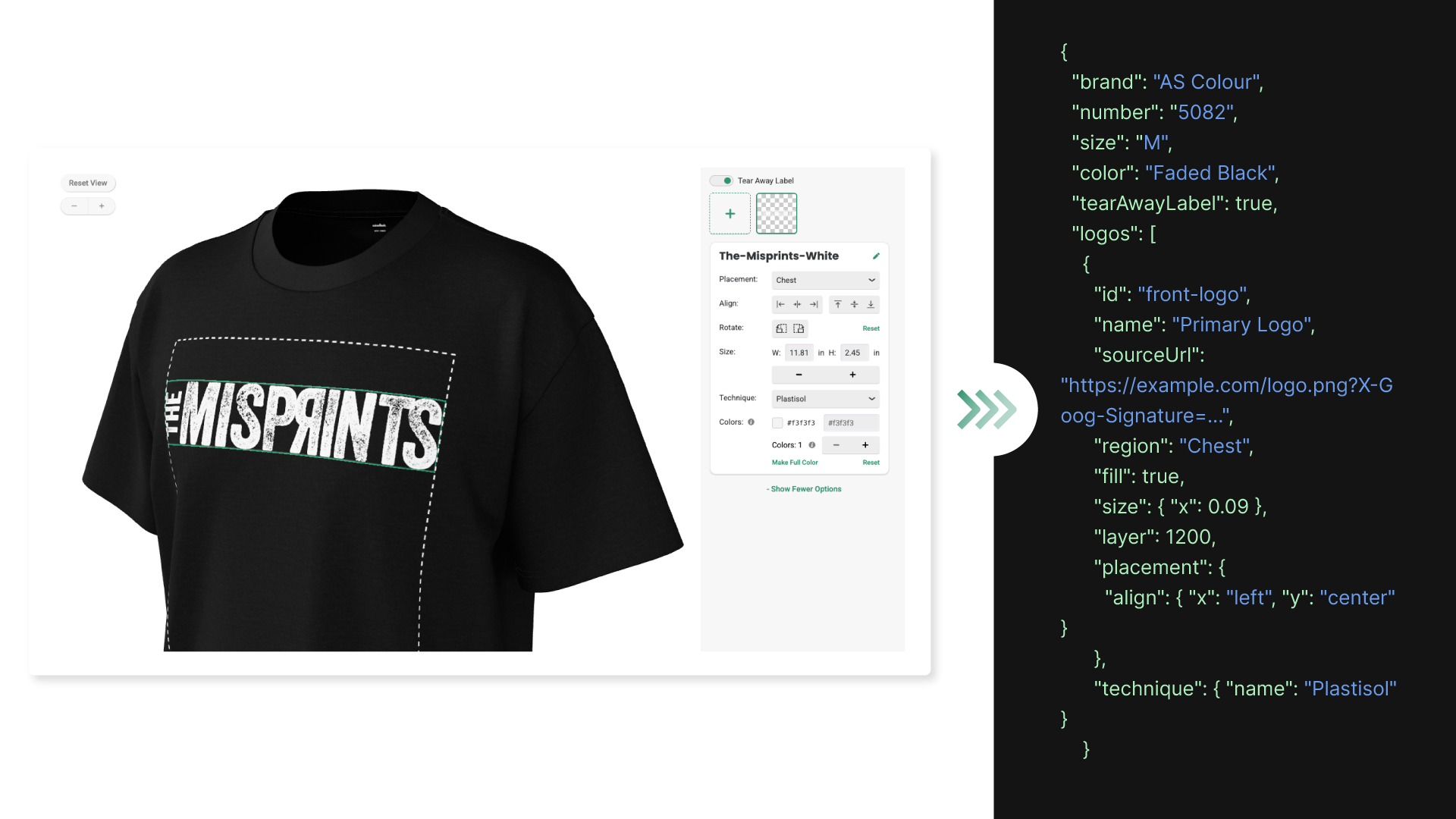
This connects interactive product configuration with automated asset generation. A business can build an experience in which customers configure a branded apparel product, review the visual result, and move the resulting specifications into the next stage of the workflow.
The Customizer has defined capability limits. For example, graphic placement is restricted to permitted regions, and the experience does not include the full range of production controls available in SEDDI Decorator. It is designed to support customer-facing product configuration, not replace the full production-art workflow.
Why this matters as branded apparel businesses scale
The challenge isn’t as simple as companies needing to create more images. In reality, the crux of the issue is managing the growing volume of product information and assets that sit behind each order.
A new design may require product imagery for a listing, a visual for customer approval, and production documentation. Revisions and new product variations can create more work for the people responsible for preparing those assets.
The Product Creation API offers a different approach: make product creation part of the digital workflow, rather than treating every asset as a separate manual task.
That can offer several advantages:
- Support growing catalogs: Generate product visuals from configured product specifications as new styles, colors, and designs are introduced.
- Connect the customer experience to production: Use product visuals and tech packs to help carry the configured design through the order process.
- Build on existing systems: Incorporate SEDDI’s 3D product technology into a storefront, order portal, or order management system instead of building the entire product creation capability from scratch.
- Put creative teams’ time to better use: Route repeatable product builds and revisions through the API, leaving artists more time for work that requires their expertise.
The API is not a ready-made integration that automatically connects to every platform. It provides the product creation capabilities that a business’s developers can connect to its own systems. The implementation depends on the application and workflow being built.
This connects interactive product configuration with automated asset generation. A business can build an experience in which customers configure a branded apparel product, review the visual result, and move the resulting specifications into the next stage of the workflow.
The Customizer has defined capability limits. For example, graphic placement is restricted to permitted regions, and the experience does not include the full range of production controls available in SEDDI Decorator. It is designed to support customer-facing product configuration, not replace the full production-art workflow.
How to get started with the SEDDI Product Creation API
The Product Creation API is intended for businesses and technology providers that want to build 3D product creation into their own digital systems.
Getting started involves three main steps:
- Identify your use case. Determine where product visuals, techpacks, or interactive customization could fit into your existing workflow.
- Review the API documentation with your developer. Your team will need access to a system it can build on, such as a storefront, order portal, or order management system, along with development time to create the connection.
- Build and test the integration. Your developer connects your system to the API and implements the product specifications and outputs required for your use case. SEDDI supports your developer along the way.
The best starting point is a specific workflow problem. You might want to generate imagery for a large catalog, show decorated products inside an order portal, or connect approved product visuals with production documentation. Defining that use case helps establish how the API could work within your system.
This connects interactive product configuration with automated asset generation. A business can build an experience in which customers configure a branded apparel product, review the visual result, and move the resulting specifications into the next stage of the workflow.
The Customizer has defined capability limits. For example, graphic placement is restricted to permitted regions, and the experience does not include the full range of production controls available in SEDDI Decorator. It is designed to support customer-facing product configuration, not replace the full production-art workflow.
Build your next product experience with SEDDI
Growing product catalogs and order volumes shouldn’t require every product asset to be created and managed manually.
The SEDDI Product Creation API gives businesses and technology providers a way to build on SEDDI Decorator’s 3D technology, generating branded apparel product visuals and production tech packs through their own digital systems. With the addition of interactive 3D customization, it can also support customer experiences that connect product configuration with downstream asset generation.
Whether you’re developing an e-commerce storefront, building an order portal, or connecting product information to production, the first step is identifying where these capabilities could make a difference in your workflow.
Interested in the SEDDI Product Creation API?
Contact our team to discuss your use case, explore the right approach for your platform, and learn how to get started.
This connects interactive product configuration with automated asset generation. A business can build an experience in which customers configure a branded apparel product, review the visual result, and move the resulting specifications into the next stage of the workflow.
The Customizer has defined capability limits. For example, graphic placement is restricted to permitted regions, and the experience does not include the full range of production controls available in SEDDI Decorator. It is designed to support customer-facing product configuration, not replace the full production-art workflow.

 English
 French
 Spanish